When Apollo 11 began its descent toward the Moon in July 1969, the spacecraft was carrying a computer that would seem impossibly small by modern standards. The Apollo Guidance Computer, or AGC, had only a few kilobytes of usable memory. Its display was a small numerical-and-letter keyboard called the DSKY. It did not have a mouse, a graphical interface, or anything resembling a modern operating system.
Yet this modest machine helped astronauts find their way through space, align the spacecraft, control burns, and guide the lunar module toward the surface. During the most famous landing in history, it also demonstrated something less visible but just as important: a computer did not need to be enormous, fast by contemporary standards, or fully autonomous to become a dependable partner in a dangerous human task.
A computer built for a very particular journey
The AGC was developed for the Apollo program by the MIT Instrumentation Laboratory, with major engineering work carried out by a team that included hardware designers, software developers, and systems engineers. The computer had to perform a narrow but demanding job. It would help determine where the spacecraft was, calculate where it needed to go, and translate those calculations into commands for navigation and control.
That work required speed, reliability, and a design that could survive launch vibration, weight restrictions, limited electrical power, and the isolation of space. The computer was not intended to replace the crew. Instead, it was one part of a larger guidance system that also depended on gyroscopes, accelerometers, optical sightings, ground tracking, mission procedures, and astronaut judgment.
The AGC was used in both the command module and lunar module. The command module computer supported the trip between Earth and the Moon and helped manage the spacecraft’s return. The lunar module computer was especially important during descent and ascent, when the crew had to navigate close to the lunar surface.
Small memory, carefully organized
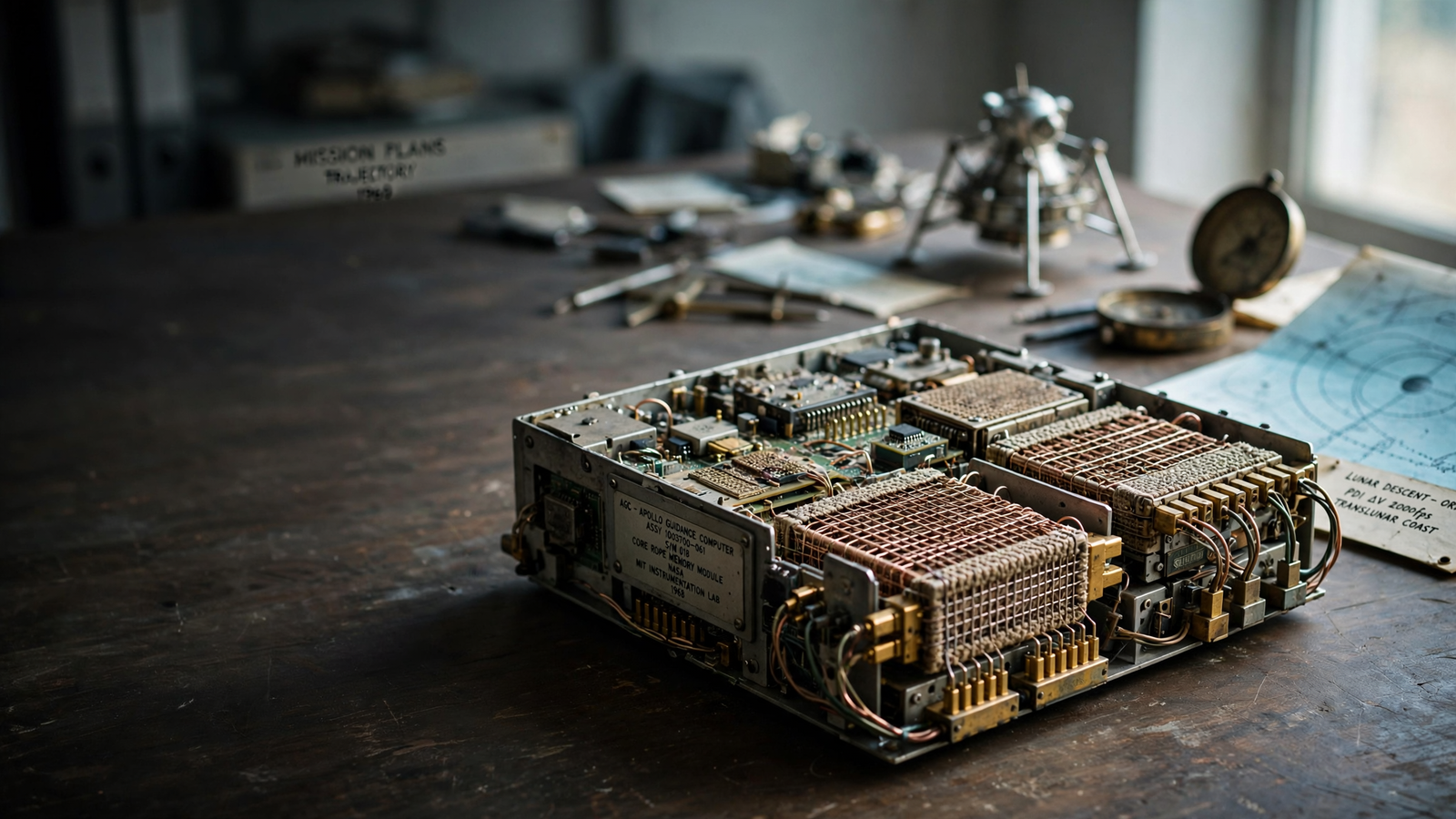
By today’s standards, the AGC’s memory was remarkably limited. It contained fixed program memory made from woven wires and a smaller amount of erasable memory used for changing data. In the fixed memory, a wire passing through a magnetic core represented one binary state, while a wire routed around the core represented the other. This technique, known as core rope memory, made the software physically part of the hardware. For related reading, see ENIAC: How a Room-Sized Machine Started the Computer Age.
That arrangement had an unusual consequence: loading the program was not simply a matter of copying files onto a drive. The guidance software had to be translated into a pattern that could be manufactured into the rope memory. Workers inspected and assembled the wiring, turning the code into a physical object. The result was durable, but changes were not casual. A software revision could require a new manufacturing process rather than a quick download.
The computer’s limitations encouraged an unusually disciplined approach to programming. Instructions had to be compact, and routines had to share resources carefully. Engineers developed ways to divide the computer’s attention among navigation, guidance, spacecraft control, displays, and communications with the crew.
The interface astronauts could use
The AGC did not present a stream of visual graphics. Astronauts interacted with it through the DSKY, short for display and keyboard. The interface used two rows of numerical displays and a set of buttons. Astronauts entered commands using a verb-and-noun structure: one code told the computer what action to take, while another identified the information or function involved.
This system may appear primitive now, but it offered an advantage in a cramped spacecraft. The astronauts did not need to interpret a complicated screen. They could request a particular display, enter a command, and receive a clear numerical response. Lights also indicated conditions such as computer activity, program alarms, or the need for attention.
The DSKY made the computer’s work visible without pretending that the machine was operating independently. Apollo crews could see what the guidance system was doing, provide inputs, and decide how to respond when the computer reported a problem.
Software that could share a computer’s attention
One of the AGC’s most important innovations was not its size but the way its software managed competing demands. The computer used a priority-based system. Tasks that mattered most at a given moment could continue running, while less urgent work could wait.
This became critical during Apollo 11’s lunar landing. As lunar module Eagle descended, the computer began receiving more data than it could comfortably process because of activity from the spacecraft’s rendezvous radar. The computer issued 1201 and 1202 program alarms, warnings that it was overloaded. For related reading, see The Integrated Circuit: How Silicon Put a Computer on a Chip.
Mission controllers and the astronauts had prepared for the possibility of such alarms. Instead of simply crashing, the guidance computer discarded or postponed lower-priority work and preserved the functions considered essential for landing. The alarms continued, but the computer kept calculating guidance information. Neil Armstrong and Buzz Aldrin were able to continue the descent while controllers confirmed that the system remained safe to use.
The moment is often remembered as a triumph of software engineering, and it was. But it was also a triumph of preparation. The behavior had been understood, tested, and incorporated into the mission’s procedures. The computer’s resilience mattered because people had designed the surrounding system to recognize what the alarms meant.
Guidance rather than magic
It is tempting to describe the AGC as the machine that landed humans on the Moon. That description is too simple. Apollo guidance depended on an entire network of people and technologies.
Ground teams tracked the spacecraft and sent information across long-distance communications links. The astronauts performed observations and entered data. The inertial measurement unit sensed changes in motion. The spacecraft’s engines and control systems carried out the physical actions. Mission rules defined when a computer could be trusted and when the crew needed to take over.
The AGC’s achievement was to connect these pieces in real time. It could take measurements and instructions, perform calculations, and produce guidance commands quickly enough for a spacecraft moving through a hostile and unfamiliar environment. It did not know the Moon in the way a modern mapping system knows a road network. It helped turn partial information into timely decisions.
A turning point in electronic history
The AGC also marked an important step in the history of integrated circuits. Apollo engineers needed a computer that was compact and reliable enough for flight, and the program became an early large-scale customer for integrated-circuit technology. The chips were not yet cheap or commonplace, but Apollo helped create a demanding environment in which the technology could be tested and improved. For related reading, see The CAPTCHA: How a Tiny Test Became a Battleground Between Humans and Bots.
The connection between the Moon program and the later personal-computer revolution was not a straight line. A spacecraft computer and a home computer served very different purposes. Still, Apollo helped demonstrate that electronic systems built from integrated circuits could perform serious, dependable work in situations where failure was unacceptable.
Within a few decades, computing would move from specialized machines operated by trained teams toward devices used by nearly everyone. The AGC did not cause that transformation by itself, but it stood among the early systems that showed what compact digital electronics could do.
The lesson of the little computer
The Apollo Guidance Computer is easy to admire as an artifact: a metal box, a block of memory, and a keyboard that now looks more like industrial equipment than a gateway to another world. Its deeper significance lies in the design philosophy behind it.
The AGC was built around constraints rather than abundance. Memory was scarce. Processing time was limited. Communication could not be assumed to be perfect. The interface had to be learnable. Every important function had to fit within a system that people could understand, test, repair, and operate under pressure.
That makes the AGC more than an early space computer. It is an example of engineering that treats reliability as a human partnership. The machine calculated, prioritized, and warned. Astronauts interpreted, judged, and acted. Ground teams monitored the larger picture. Together, they created a system capable of carrying people beyond Earth and bringing them home.
More than half a century later, modern spacecraft use computers vastly more powerful than Apollo’s. But the central challenge remains familiar: turn uncertain information into safe action, make complex systems understandable, and design technology that helps people do what neither humans nor machines could accomplish alone.
Use: Mission transcripts and technical context for Apollo 11, including the lunar landing sequence.
Use: NASA historical background on the Apollo program, spacecraft systems, and mission technology.
Use: History of the AGC, its integrated circuits, software, and role in the development of modern computing.
Use: Institutional context on the MIT Instrumentation Laboratory’s work and the Apollo Guidance Computer.